.png)
How to enter SIM cards in bulk into Telgoo5's inventory
Follow these steps
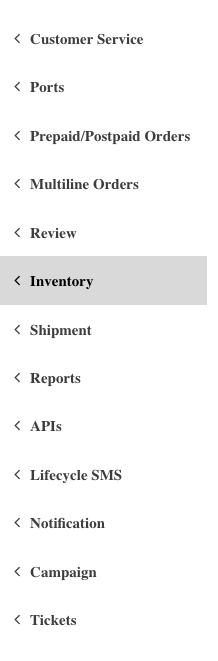
1. Go to Inventory
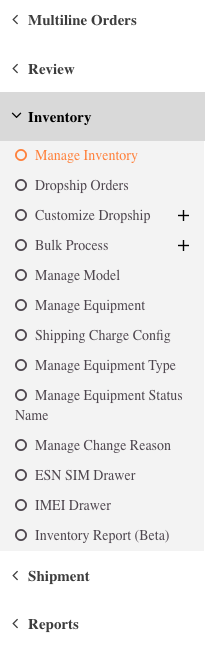
2. Go to Manage Inventory
3. Click on Add Units 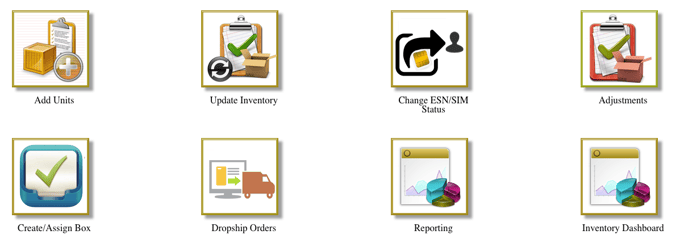
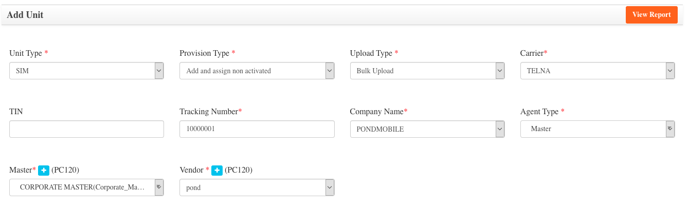
4. Enter the following:
Unit Type: SIM
Provision Type: Add and assign non activated
Upload Type: Bulk Upload
Carrier: TELNA
Tracking Number: (Enter a number ad keep for your records)
Company Name: PONDMOBILE
Agent Type: Master
Master: CORPORATE MASTER
Vendor: pond
5. Click on Add files

To create the file to be uploaded, follow these steps:
1. Open Sample Bulk Inventory Upload
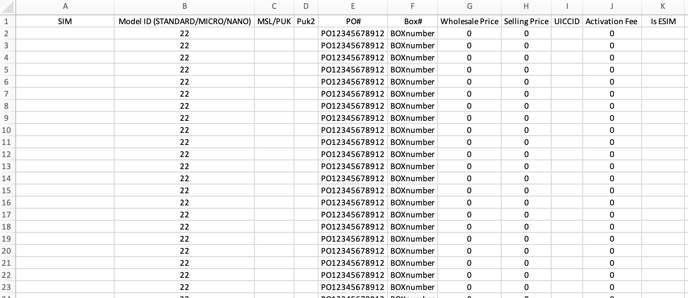
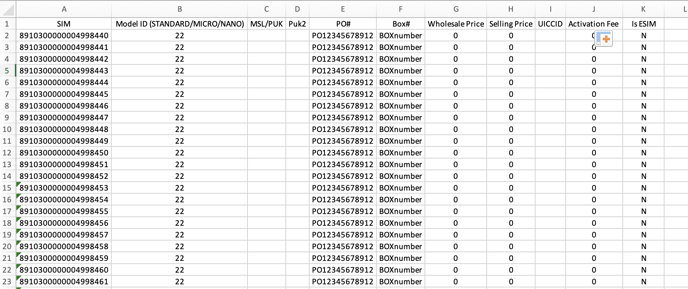
7. Enter ICCID's in SIM column and Y/N in Is ESIM column
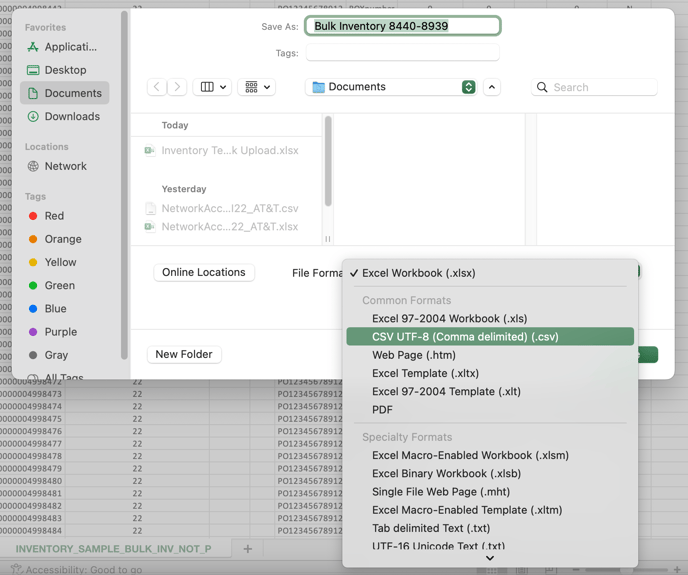
8. Save as CSV File
9. Add CSV File
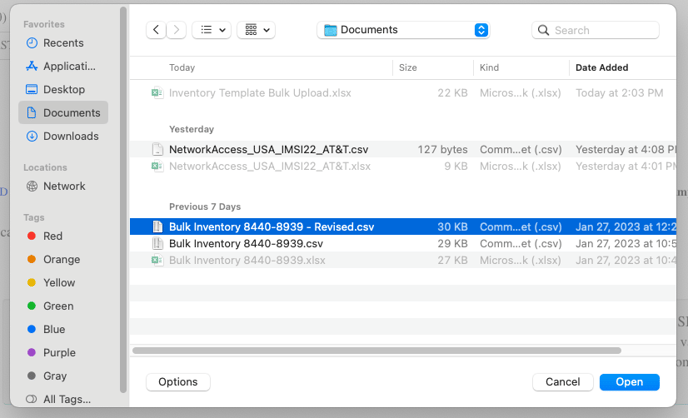
If data was entered correctly and the file was saved in the right format, this should complete the process of Bulk Inventory Upload.